
Ordering
Every way you take an order, from one menu.
Dine-in, takeaway, delivery and self-order all run from the same menu and land in the same system.
At the till
Tills and waiter tablets that keep taking orders when the connection drops.
On your website
A storefront on your own domain for takeaway, delivery and kerbside.
On a phone
A customer app and order-at-table, with live order tracking.
At a kiosk
Self-order screens with their own banners and home-page slides.
The software
What the restaurant EPOS system covers.
Everything shares one menu and one set of orders, so these are not separate products to connect.
Point of sale
A till that keeps selling when the connection drops, then syncs when it returns.
- Tills, waiter tablets and self-order kiosks, each with its own menus and layout
- Staff roles, permissions and staff discounts by category
- Customer display with looping images and short video
Online ordering
A storefront on your own domain and a mobile app, on the same menu as the till.
- Takeaway, delivery, kerbside and order-at-table
- Delivery zones with their own fees and minimum orders
- Order now or schedule for later
- Live order tracking for customers
Menu management
One menu, with the detail each sales channel needs.
- Variants, modifiers, combos and multi-choice bundles
- Prices and availability by channel and service type
- Item and category hours, with date exceptions
- Dietary and allergen tags shown to customers
Payments
Online checkout and integrated card terminals, recorded in one place.
- Hosted online checkout, so card details never touch your systems
- Integrated card terminals at the till
- Split bills, tips, optional card surcharges and refunds
Reservations
Online booking that knows your tables and your hours.
- Automatic table matching
- Day view by status and by floor plan
- Holiday closures, special hours and blocked-out times
- Confirmation and cancellation emails
Inventory and recipes
Stock that follows what you sell, costed from what you paid.
- Recipes for items, variants and modifiers
- Goods receipts from suppliers, costed by lot
- Oldest stock used first, deducted as orders complete
- Shortfalls flagged, never blocking a sale
Promotions and loyalty
Bring customers back without running a second system.
- Promotions by item, category and variant
- Loyalty points redeemed against an order
- Discounts shown in reports, with who gave them
Reporting and alerts
See how the day is going and hear about problems while you can still act.
- Day-end and shift-end reports with cash drawer reconciliation
- Sales, refund, discount and tax reports
- Alerts for sales drops, refund spikes and delayed orders
Multi-site
Run several locations under one organisation, each with its own setup.
- Tax, timezone and date formats set per restaurant
- Bills, receipts and kitchen tickets you can design
- Floor layouts and device setup by venue
How it flows
One order, start to finish.
01
Ordered
A customer orders on your website, in the app or at a kiosk.
02
Paid
The payment is recorded with the order.
03
At the till
Online orders reach the till in about a second.
04
In the kitchen
The order prints on a kitchen ticket you can design. Or it shows on a kitchen display screen (KDS).
05
Stock and reports
Stock comes off as the order completes, and the sale shows in your reports.
Who uses it
Set up for your kind of venue.
RMS Admin app
Your restaurant, on your phone.
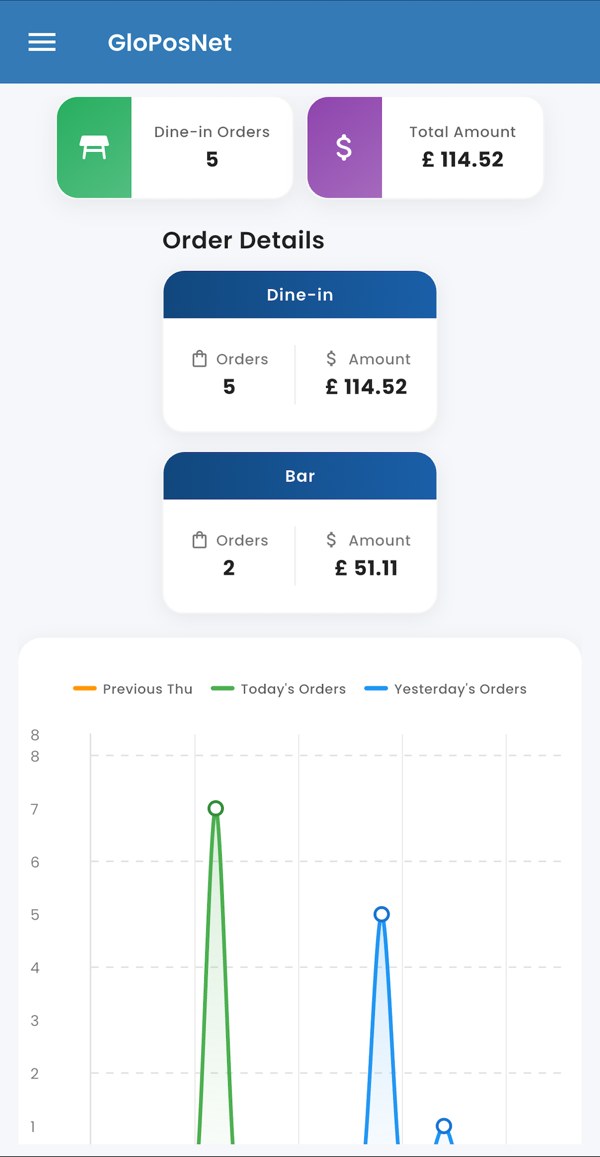
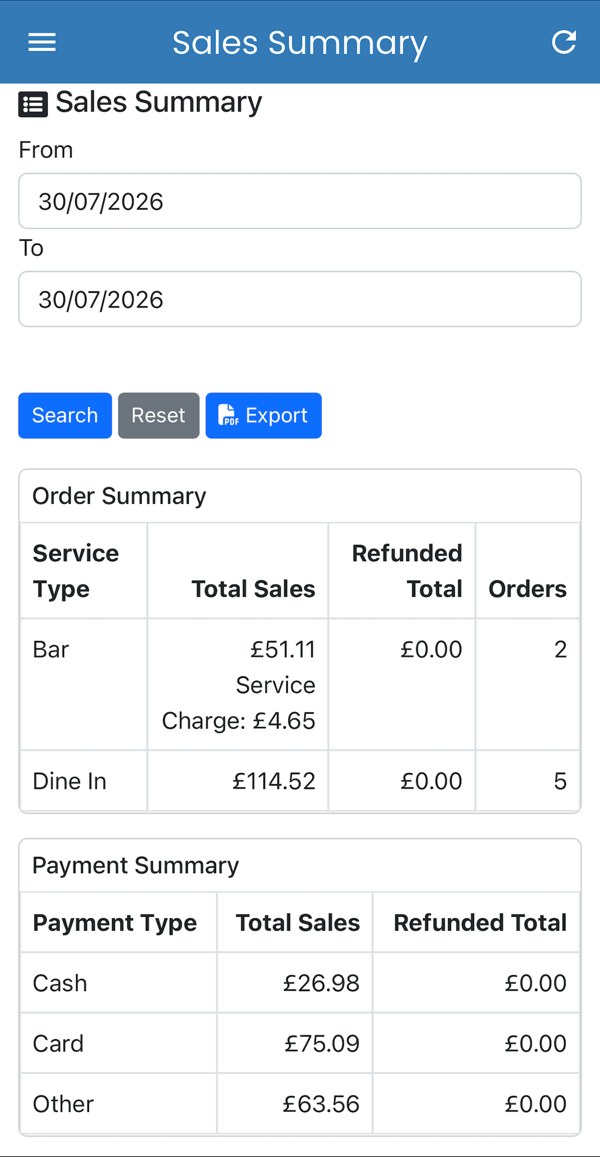
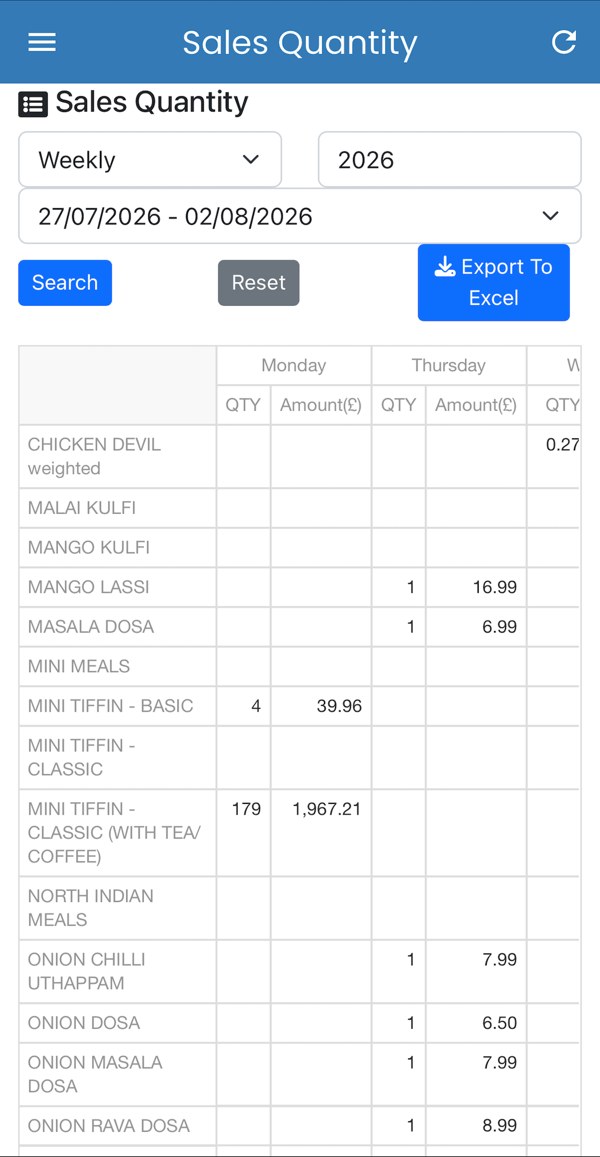
GloPosNet RMS Admin shows live sales from your restaurant on iPhone and iPad. Run more than one site and you see them all under one login.
Today at a glance
Dine-in and bar orders with their totals, as service happens.
Sales and payments
Sales by service type and category, with cash, card and other payments split out.
What sold, day by day
Quantities and value for every dish across the week, with export to Excel.
Busy hours and refunds
Hourly sales, refunds by category and a report for any time range you pick.
Customers
What shop owners tell us.
GloPosNet app, 13 ratings
The direct link to Nisa took hours of manual work out of the week, and support is there whenever it is needed.
Yogendra
Nisa Local
Runs the restaurant on GloPosNet, using it to manage staff and keep track of reports.
Santhan
Chicken Cottage
A till with a cigarette counter and an automatic cash machine has taken human error out of the counter.
Chad
Instant Karma
Tried several systems before settling on GloPosNet Retail. Supplier products and promotions now download in one click.
Nathan
Costcutter
Why GloPosNet
What makes us different.
Plenty of UK companies sell an EPOS system. Here is what you get from us that you will not get everywhere.
01
One team for everything
Software, tills, installation and support all come from us. One number to call, and nobody blames another supplier.
02
Built for independent shops
Direct links to Nisa, Booker, Spar, Londis, Budgens and Costcutter, with lottery, scratchcards and age checks handled properly.
03
Your card machine, your choice
We do not tie you to a card provider. Keep the machine you have or pick the one that suits your shop.
04
Keep the tills you own
Send us the make and model and we confirm it runs GloPosNet before you pay anything.
05
People you can reach
1-to-1 onboarding, a dedicated account manager and support open 24/7, by phone and online.
06
Up to 5 years on-site warranty
3 years on-site on our mid range tills and 5 years on the performance range.
07
A loan till if yours fails
On the on-site support plan an engineer comes out, and loan hardware keeps you trading during the repair.
08
Simple to buy
Your software licence is part of the monthly support plan.
Questions
What owners ask before they switch.
Does it work without internet?
GloPosNet needs the internet to work properly: that is how your sales reach your reports and your prices reach the till. If the connection drops for a while, the till keeps taking cash sales, printing receipts and opening the drawer, then catches up when it is back.
Can I bring my own hardware?
Usually. A Windows 10 or 11 PC, or an Android till that lets you install apps yourself, with a USB or network receipt printer and a USB scanner. Send us the make and model and we confirm it runs before you pay anything.
How do I get my products in?
Send us your product list, a spreadsheet or an export from your current till, and we help you import it. You review any problems row by row before anything goes live. When you add something new, scan it and the till looks it up online; around 95% of products are found, so you only check the price.
Can I keep my card machine?
Yes. A compatible terminal (Teya today) connects to the till, so the amount is sent to the card machine and the payment is recorded against the sale. Any other card machine works alongside the till: key in the amount and record the sale as a card payment.
Do I have to change card provider?
No. Your card rate and contract are agreed with your card provider, not with us. Keep the provider you have, or tell us what you need and we will suggest a compatible terminal.
How do I switch from my current system?
Export your products to a spreadsheet, we import them, and we pair the new till. Most shops switch in a day. If you are mid-contract elsewhere, we will tell you honestly whether it is worth waiting.
Where is my data stored?
In the cloud, in a database isolated per shop, with a full copy on each till.
I have more than one shop.
GloPosNet runs several shops from one back office, so you can manage products and prices centrally and compare stores side by side.
What does it cost?
It depends on how many tills you run and the hardware you need, so we quote for your business. Tell us how you trade and we will send a clear price for the software, the hardware and the setup.
Get started
Build your quote, or see it on a till first.
EPOS system prices depend on your counter. Answer four quick questions and we will send a clear price for the software, the hardware and the setup, with no hidden costs.
Prefer to see it working? Book a free demo, set up for your trade. No obligation.
Question 1 of 4